Thursday, 30 April 2015

Microsoft Is Bringing Android and iOS Apps to Windows 10

Microsoft Is Bringing Android and iOS Apps to Windows 10
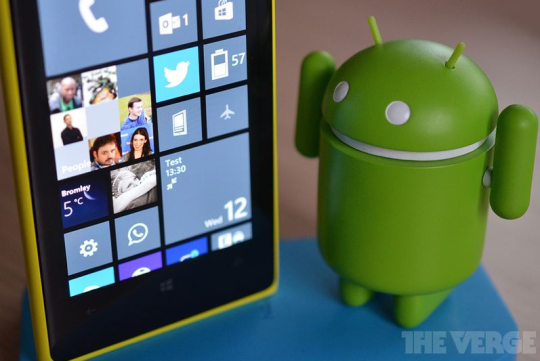
After months of rumors, Microsoft is revealing its plans to get mobile apps on Windows 10 today. While the company has been investigating emulating Android apps, it has settled on a different solution, or set of solutions, that will allow developers to bring their existing code to Windows 10.
iOS and Android developers will be able to port their apps and games directly to Windows universal apps, and Microsoft is enabling this with two new software development kits. On the Android side, Microsoft is enabling developers to use Java and C++ code on Windows 10, and for iOS developers they’ll be able to take advantage of their existing Objective C code. “We want to enable developers to leverage their current code and current skills to start building those Windows applications in the Store, and to be able to extend those applications,” explained Microsoft’s Terry Myerson during an interview with The Verge this morning.
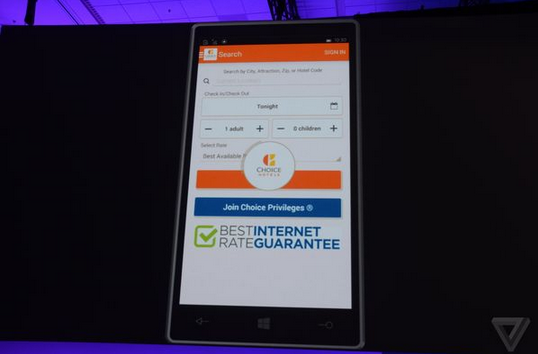
The idea is simple, get apps on Windows 10 without the need for developers to rebuild them fully for Windows. While it sounds simple, the actual process will be a little more complicated than just pushing a few buttons to recompile apps. “Initially it will be analogous to what Amazon offers,” notes Myerson, referring to the Android work Microsoft is doing. “If they’re using some Google API… we have created Microsoft replacements for those APIs.” Microsoft’s pitch to developers is to bring their code across without many changes, and then eventually leverage the capabilities of Windows like Cortana, Xbox Live, Holograms, Live Tiles, and more. Microsoft has been testing its new tools with some key developers like King, the maker of Candy Crush Saga, to get games ported across to Windows. Candy Crush Saga as it exists today on Windows Phone has been converted from iOS code using Microsoft’s tools without many modifications.
During Microsoft’s planning for bringing iOS and Android apps to Windows, Myerson admits it wasn’t always an obvious choice to have both. “At times we’ve thought, let’s just do iOS,” Myerson explains. “But when we think of Windows we really think of everyone on the planet. There’s countries where iOS devices aren’t available.” Supporting both Android and iOS developers allows Microsoft to capture everyone who is developing for mobile platforms right now, even if most companies still continue to target iOS first and port their apps to Android at the same time or shortly afterward. By supporting iOS developers, Microsoft wants to be third in line for these ported apps, and that’s a better situation than it faces today.
Alongside the iOS and Android SDKs, Microsoft is also revealing ways for websites and Windows desktop apps to make their way over to Windows universal apps. Microsoft has created a way for websites to run inside a Windows universal app, and use system services like notifications and in-app purchases. This should allow website owners to easily create web apps without much effort, and list those apps in the Windows Store. It’s not the best alternative to a native app for a lot of scenarios, but for simple websites it offers up a new way to create an app without its developers having to learn new code languages. Microsoft is also looking toward existing Windows desktop app developers with Windows 10. Developers will be able to leverage their .NET and Win32 work and bring this to Windows universal apps. “Sixteen million .NET and Win32 apps are still being used every month on Windows 7 and Windows 8,” explains Myerson, so it’s clear Microsoft needs to get these into Windows 10.
Microsoft is using some of its HyperV work to virtualize these existing desktop apps on Windows 10. Adobe is one particular test case where Microsoft has been working closely with the firm to package its apps ready for Windows 10. Adobe Photoshop Elements is coming to the Windows Store as a universal app, using this virtualization technology. Performance is key for many desktop apps, so it will be interesting to see if Microsoft has managed to maintain a fluid app experience with this virtualization.
Collectively, Microsoft is referring to these four new SDKs as bridges or ramps to get developers interested in Windows 10. It’s a key moment for the company to really win back developers and prove that Windows is still relevant in a world that continues to be dominated by Android and iOS. The aim, as Myerson puts it, is to get Windows 10 on 1 billion devices within the next two to three years. That’s a big goal, and the company will need the support of developers and apps to help it get there.
These SDKs will generate questions among Microsoft’s core development community, especially those who invested heavily in the company’s Metro-style design and the unique features of Windows apps in the past. The end result for consumers is, hopefully, more apps, but for developers it’s a question of whether to simply port their existing iOS and Android work across and leave it at that, or extend those apps to use Windows features or even some design elements. “We want to structure the platform so it’s not an all or nothing,” says Myerson. “If you use everything together it’s beautiful, but that’s not required to get started.”
Microsoft still has the tricky mix of ported apps to contend with, and that could result in an app store similar to Amazon’s, or even one where developers still aren’t interested in porting. This is just the beginning, and Windows universal apps, while promising, still face a rocky and uncertain future.

Tuesday, 28 April 2015

LG’s New G4 Smartphone Packs a 16 MP Camera and Leather Design

LG has just unveiled its G4 smartphone, and based on our short time with the handset, it might be one of the best phones you can buy when it hits the market this June.
The G4 improves on its predecessor, the LG G3, in a number of ways, and, most importantly to LG, rivals Apple’s iPhone 6 and Samsung’s Galaxy S6 in terms of features and performance.

Real leather

The most interesting thing about the G4 is its design. LG wants its new phone to be one of the best-looking smartphones on the planet, and to do that, it is offering the G4 with a rear panel covered in high-quality leather.
This isn’t the plastic faux leather you’ll find on Samsung’s Galaxy Note 4, either. LG says it spent three years researching how to produce the leather for the G4 and that the process to make one panel takes three months.
The company also used a special treatment process to ensure that the leather is more resistant to scratches and abrasions as well as water stains.
LG’s New G4 Smartphone Packs a 16 MP Camera and Leather Design
A pair of stitches run down the center of the G4’s back panel, giving the phone the look of a high-end handbag. I did notice, however, that the stitching felt a bit rough when you run your finger down it. That said, I didn’t notice it when holding the phone normally.
If leather isn’t your thing, you can opt for a G4 with a plastic back panel. And if you do buy a leather back and get tired of it, you can always swap it out for a different panel.
Like its predecessors the LG G2 and LG G3, the G4 has its power and volume buttons on its back panel rather than on its side. LG says this makes the buttons easier to reach, though I’ve found that it takes some getting used to and can be confusing for first-time owners.

Camera improvements 

LG is also hyping the G4’s new 16-megapixel rear camera, which it says can capture better photos than Apple’s iPhone 6 and Samsung’s Galaxy S6. The camera packs a 1.8 aperture lens that the company claims will be able to take brighter images in low-light settings than the iPhone 6 and the S6.
And with its improved optical image stabilization (OIS), which physically moves the camera’s lens to compensate for hand shaking, LG says the camera will be able to take more detailed photos no matter where you’re shooting.
image
According to LG, the G4’s OIS is better than the OIS used on the Galaxy S6 because it can move along three axes. Samsung’s camera can move along just two axes. The iPhone 6 doesn’t used OIS, instead relying on digital image stabilization. The iPhone 6 Plus, however, does have OIS.
The G4 also packs a color spectrum sensor, which LG says helps the camera capture colors that are more true to life than those captured by other smartphone cameras.
During my testing, I found the Galaxy S6’s camera to be better than the iPhone 6’s. So if the G4 can beat that, it might be the best smartphone camera around.

Quantum mechanics display

In addition to its design and camera, LG is seriously pushing the G4’s new 5.5-inch, 2560x1440 resolution display. According to the company, the display uses a new technology based on quantum mechanics that makes the screen produce more vivid colors.
The display is also the first smartphone screen to be certified compliant with Hollywood’s Digital Cinema Initiative (DCI), which means colors in movies should look the same on the G4 as they do on the big screen. How that impacts colors seen on websites, photos, and games remains to be seen.
image
To demonstrate how the G4’s display compares to the Galaxy S6’s and the iPhone 6 Plus’s, LG showed us the same image of a bushel of strawberries on each screen. True to the company’s word, the G4’s screen offered deeper reds and more vibrant greens than either the S6 or iPhone 6 Plus. Still the G4’s screen was a bit dim compared to those of the S6 and the iPhone 6.
That said, the image was a test photo selected by LG, so we’ll have to see how the screens compare with our own images.

Interface and performance

Inside, the G4 runs on Google’s Android 5.0 Lollipop. LG chose to keep the operating system’s look mostly stock rather than altering it too much like other smartphone makers, which is always welcome.
In terms of performance, the G4 runs on a quad-core processor, 3 GB of RAM, and 32 GB of storage. There’s also a microSD card slot that lets you increase storage capacity and a removable battery — both things that Samsung dropped from the Galaxy S6, much to the chagrin of more hardcore smartphone fans.
image
From the look of it, the LG G4 could have what it takes to be one of the best smartphones on the planet, especially if its camera and display live up to the hype.
LG has remained mum on pricing for the G4, but we expect it to cost $199 with a two-year contract. Availability is set for the end of May or the beginning of June, though the company hasn’t quite nailed down the date yet.

Thursday, 23 April 2015

New Windows 10 release offers preview of two other core apps


New Windows 10 release offers preview of two other core apps
windows-10
Insiders who signed up for the Windows 10 Technical Preview beta program should know there’s a new release in town, build version 10061. The new Windows 10 version brings several additional features, including brand new apps for mail and calendar, as well as more user interface tweaks.
The new Outlook Mail app brings new customizable Swipe Gestures,Microsoft revealed in a blog post, similar to what you’d expect from a mobile version of the app, letting users set up for left and right swipes, including deleting, flagging, moving or marking an email as read or unread. The new mail app, but also Calendar, also come with support for Office 365, Exchange, Outlook.com, Gmail, IMAP, POP and other accounts.
Furthermore, Outlook “leverage the familiar and rich capability of Word,” allowing you to insert tables, pictures and more complex formatting to emails.
The company says both Outlook and Calendar bring improved performance and a new three-pane email UI that lets users quickly switch between email and calendar with a toggle.
Microsoft says it also tweaked Start, Taskbar and Action Center. A new black system theme is available across Start, Taskbar and Action Center. Furthermore, the Start menu can be resized, and has transparency, just like Taskbar. Users can also customize the Start menu by applying the primary color of their desktop backgrounds.
The company says it has also improved its Continuum experience – or switching from PC to tablet mode – by applying obvious visual changes that make it easier for users to interact with the UI once the move to tablet mode is performed. The Start, Cortana and Task View buttons grow in size in tablet mode, and items in the Notifications also get bigger to improve touch actions.
Windows 10 build 10061 also brings an improved Virtual Desktops experience, allowing users to create as many virtual desktops as they desire. More details about the new Windows beta version, including known bugs and issues that have been fixed in this release, are available at the source link.

Apple Fine-Tunes Timing on Apple Watch Arrivals


An Apple Watch could be in your hand – or, rather, on your wrist – sooner than anticipated.
Apple Fine-Tunes Timing on Apple Watch ArrivalsThe Apple Watch could come your way sooner than you think. (Apple)
Apple has consistently been telling buyers of its new smartwatch, which officially launches Friday, that they may need to wait to receive their device. But the company has ever-so-slightly changed its tune.
According to a statement that Apple sent to CNET on Thursday:
We’re happy to be updating many customers today with the news that their Apple Watch will arrive sooner than expected. Our team is working to fill orders as quickly as possible based on the available supply and the order in which they were received. We know many customers are still facing long lead times and we appreciate their patience.
Several readers of 9to5Mac say their order status has changed from “processing” to “preparing for shipment.” Some customers are also starting to see credit-card charges for their Apple Watch orders, which would only happen if the devices were ready to ship.
Some may receive them as soon as Friday, according to MacRumors. A notice sent to some customers who preordered indicates an arrival that day.
At its retail stores, the company requires you to make a reservation to order the watch, which then arrives at some point at the store or at your home. Apple has also been urging people to order the wearable over the Internet through the online Apple Store or the Apple Store app. The wait times listed online for most of the models now show aJune time frame for delivery.
But what if you haven’t preordered the Apple Watch and are now eager to get one? Apple has stated that the device won’t be available for immediate purchase at its Apple Stores. But an Apple Store isn’t your only option. The watch is also being sold at boutiques and fashion outlets. And you might just be able to walk out with an Apple Watch from one of these retailers.
Such stores as Dover Street Market in Tokyo and London (but not the one in New York), Maxfield in Los AngelesColette in ParisCorner in Berlin and 10 Corso Como in Milan all list the Apple Watch as “in-store 4.24.15” on their home pages, The New York Times reported Wednesday.
But whether you can walk out of one of those stores with the smartwatch on your wrist depends on which model you choose. The Apple Watch, the company’s long-awaited entrant in the market for smart wearables, comes in three versions: the entry-level Sport version that starts at $349, the midlevel Apple Watch starting at $549 and the Apple Watch Edition with a starting price of $10,000.
Adrian Joffe, chief executive of Dover Street Market, told the Times that his company would have around 350 Apple Watches in its Ginza store and 570 in its London store. But those of you willing to shell out the money for the gold Edition are out of luck – that version is currently on backorder at Dover Street Market.

Hackers Can Continuously Restart Your iOS Device Thanks to New Exploit


Hackers Can Continuously Restart Your iOS Device Thanks to New Exploit
Security researchers have discovered a vulnerability in Apple’s iPhone and iPad operating system that could let a hacker continuously crash either device as many times as they want.
Discovered by researchers at mobile security firm Skycure, the vulnerability is activated when you connect to an unknown open Wi-Fi hotspot (something you should never do in the first place), which the the hacker can then use to take control of several functions on your device. 
Once you’re on the network, a hacker sends your iOS device an SSL certificate, which allows a device to talk with an app or website securely. Think of an SSL as something that lets your phone communicate with an app’s servers without anyone listening in.
In this instance, though, the SSL is purposely flawed, letting the hacker use their exploit to force any app using SSL to crash for no apparent reason.
The researchers at Skycure soon realized that they could crash not only apps, but also entire iPhones or iPads, causing the devices to enter a seemingly endless restart cycle that prevents you from either device at all.
The researchers said they were also able to combine the SSL certificate vulnerability with another hack that forces iOS users to automatically connect to specific Wi-FI networks. 
In this instance, a hacker could force your iPhone to connect to their network and then start using the SSL certificate vulnerability to keep shutting down and restarting your iPhone.
The Skycure researchers refer to this practice as creating a “no iOS zone,” since any iOS device within range could be impacted. The only way to stop the cycle would be to leave the malicious network’s Wi-Fi range.
Skycure says the easiest way to avoid this issue is to stay away from unknown Wi-Fi networks and make sure you’re always running the latest iOS updates. Though they said they’ve reached out to Apple to let them know about the issue, Skycure says they still haven’t received a response.
This isn’t the first vulnerability discovered in Apple’s iOS, which execs have often boasted is far more secure than competitor Android. In the past, the software has been found to other security issues, though Apple is always quick to address them.
In this case, Apple will likely fix the vulnerability and move on.
Seriously though, the best thing you can do is stay away from connecting to any free Wi-Fi networks you aren’t familiar with. In addition to opening you up to a silly vulnerability like this, free, open Wi-Fi connections can also let hackers see much of what you’re doing on your iOS device.
Just stick to the networks you know and trust.

Tuesday, 21 April 2015

MacBook, Air, or Pro? Which Apple Laptop You Should Choose


MacBook, Air, or Pro? Which Apple Laptop You Should Choose

Apple’s superslim MacBook is the newest of Apple’s shiny line of laptops. Joining the svelte MacBook Air and the high-powered MacBook Pro, the plainly named MacBook is a lightweight notebook designed for the person who needs the versatility of a real computer in a supercompact package.
But the featherweight body means tradeoffs. The MacBook may be incredibly thin, but it’s not as versatile as the MacBook Air or as powerful as the MacBook Pro. And there is a lot of price overlap between the models.
So which MacBook should you choose? Here are our recommendations, according to the feature that is most important to you.

Price

For what you get, the 12-inch MacBook is expensive. Pricing starts at $1,300 for a MacBook with a 1.1 GHz Intel Core M processor, 8 GB of RAM, and 256 GB of storage, or $1,600 for a MacBook with a 1.2 GHz Intel Core M processor, 8 GB of RAM, and 512 GB of storage.
An 11-inch MacBook Air, meanwhile, starts at $900 with a more powerful Intel Core i5 processor and 4 GB of RAM, but just 128 GB of storage
. An 11-inch with an Intel Core i5 processor and 256 GB of storage costs $1,100, and an 11-inch with a high-powered Intel Core i7 processor and a 512 GB solid-state drive comes in at $1,650.

Yahoo Tech

The Pogue Review: Apple MacBook

David Pogue reviews the new MacBook from Apple.

Step up to the 13-inch MacBook Air with the same specs, and you’ll have to add an extra $100.
A base-model 13-inch MacBook Pro with Retina display will cost you $1,300 with an Intel Core i5 processor, 8 GB of RAM, and 128 GB of storage. Jump up to the top-of-the-line 13-inch MacBook Pro with an Intel Core i7 processor, 16 GB of RAM, and a whopping 1 TB of storage space, and you’ll pay $2,700.

YAHOO FINANCE EXCLUSIVE: Google Wallet funds are now FDIC-insured


FILE - In this Jan. 17, 2012 file photo, a person tries a smartphone loaded with Google Wallet at the National Retail Federation in New York. Google is teaming up with three major U.S. wireless carriers in an effort to prod more people into using its mobile wallet and undercut the rapid success of Apple's rival payment service. (AP Photo/Mark Lennihan, File)
Google (GOOGL) is making a big change to its mobile payment service, Google Wallet, Yahoo Finance has learned. Funds that are left in Google Wallet will now be FDIC-insured, which means Google users’ money is now a whole lot safer — and they probably never even knew it.
Here’s why this matters: when you stash your cash in mobile payment apps like Venmo, PayPal and Google Wallet, that money is not FDIC-insured. The Federal Deposit Insurance Corporation protects funds held by banking institutions up to $250,000. This is a good thing because, as history has proven time and again, banks can fail and when they do, the little guys need someone looking out for them.
These hot new money transfer services fall under the category of “non-banking institutions,” which includes the likes of payday lenders and prepaid debit cards. As a nonbank, they aren’t legally required to be federally insured.
These aren’t places consumers normally park their money, but rather tools to transfer funds from one person or entity to another. But that doesn’t mean customers don’t use them to stash their cash. For example, Google Wallet customers who send cash to or receive cash from other Google users can choose to keep those funds in what’s called their Wallet Balance.
As of now, Google Wallet’s user agreement says balances are not FDIC-insured. However, a Google spokesperson confirmed in a statement to Yahoo Finance that its current policy has changed. The company will hold Wallet balances in multiple banking institutions that are FDIC-insured, which means if anything were to happen to the company, users funds’ would be protected.The spokesperson did not provide any further details or say when the company would update its user agreement.
So, what about those other apps?
Neither Venmo nor PayPal — both eBay (EBAY) products — offers FDIC insurance for users who leave cash floating in their accounts. A spokesperson for both companies says they do not make public how they store unused user funds. 
If you use one of these services simply to transfer money from point A to point B, which is their main purpose, you shouldn’t have to worry. So long as the cash you’re sending is tied to a bank or credit card account, your funds will be protected. (PayPal does offer zero liability protection for users, which means that they are covered for fraudulent account activity.)
For example, you might receive a $100 Venmo transfer from a friend who’s chipping in for her share of a group dinner. Rather than transfer that cash directly from Venmo to your bank account, you decide to leave it there. This isn’t unheard of, especially for heavy users of the app. You might like having a little cash stashed away in Venmo to have on hand for quick transfers. Just know that as long as that money is sitting in your Venmo account, your funds aren’t insured.
Ditto for PayPal. You may purchase something online and use your PayPal account to route the payment. If you return the item and the company refunds you, that cash will not go back into your bank account. It will go back to your PayPal account, which is not FDIC-insured. You may just forget to move the money to your bank account (a transfer that can take 2-3 business days) or decide you’d rather keep it there for the next time you shop online. It is not federally insured.  
(Fun fact: This wasn’t always the case. For many years, PayPal stored consumers’ unused balances in various banks, all of which were FDIC-insured. It stopped this practice in 2012 after a California state law made it much more expensive for them to do so.)
PayPal spokesperson released this statement to Yahoo Finance: 
People love to use PayPal because we offer best-in-class security and industry-leading consumer protections.  PayPal provides our customers zero liability account protections if there are unauthorized payments and buyer protections if the item they purchase is not as described or does not arrive as promised. The safety and satisfaction of the people who use PayPal will always be our top priority. While it is true that PayPal balances are not FDIC-insured, it’s important to note that this insurance is intended to insure the savings in people’s bank accounts. Our customers do not use PayPal in this way. This is because it is not required to store a balance in a PayPal account to use PayPal and it’s free to withdraw any funds that may be in the account. For customers who do hold a balance in their account PayPal adheres to the same Regulation E consumer protection laws as banks.
The fact that users are not required to keep a balance in their PayPal account is a fair point, but, as we illustrated in our example above, this doesn't mean that PayPal users don't leave balances in their accounts. Even if  users may not think of their PayPal account like a bank, they may still be wrongly assuming that their funds are similarly protected. And "Regulation E consumer protection laws" they mention only apply to remittances (money transferred overseas). 
OK, so what’s the worst that could happen?
In a worst-case scenario, if one of these companies fails and files for bankruptcy, their customers would become their creditors. That means they would have to go through a bankruptcy court like everyone else to get their money back. With FDIC insurance, the government would pay customers back in a matter of days.  
“Hopefully, these people would be first in line to get their money back, but the problem is bankruptcy could take a while and they could wait months to get their money,” says Thaddeus King, officer of consumer banking project at Pew Charitable Trusts. He and his colleagues have been pushing the government to require prepaid accounts to offer FDIC insurance.  
The Consumer Financial Protection Bureau is trying to pass rules that would strengthen oversight of nonbanks, but they fall short of requiring FDIC insurance — the rule only forces nonbanks todisclose the fact that they aren’t FDIC-insured.
Disclosure isn’t necessarily the root of the problem, given many companies are already plainly providing the information. All three mobile payment services we’re highlighting here (VenmoPayPal, and Google Wallet) plainly inform users that their balances are not FDIC-insured in their user terms and agreements.
The odds that these companies will tank are slim, but not impossible, says Susan Weinstock, who runs Pew’s consumer banking project.
“That’s why FDIC insurance was created during the Great Depression, for exactly that reason,” she says.
By leaving cash in these companies’ (digital) hands, you’re essentially giving them an unsecured loan. 
“It’s impossible for your average consumer to keep track of how financially secure a company is,” King says. “Even sophisticated people would not be able to know whether a company is well-capitalized and secure.”
The bottom line: The safest way to be sure your cash is protected is to transfer any unused balances from these accounts as soon as possible into a regular U.S. banking institution, which is FDIC-insuredAnd if you like the idea of having your cash FDIC-insured, let the CFPB know.
Consumers have won this battle before. American Express (AXP) customers asked the company to change the terms of its BlueBird prepaid debit card because the government doesn’t let people load federal benefits like Social Security onto prepaid cards that weren’t FDIC-protected. AmEx added the feature to two of its four prepaid debit card offerings in 2012.